The Dashboard
Type /play to open the dashboard. It has three tabs: Music, Ambience, and Presets. The ❓ button opens a bug report form if something goes wrong.
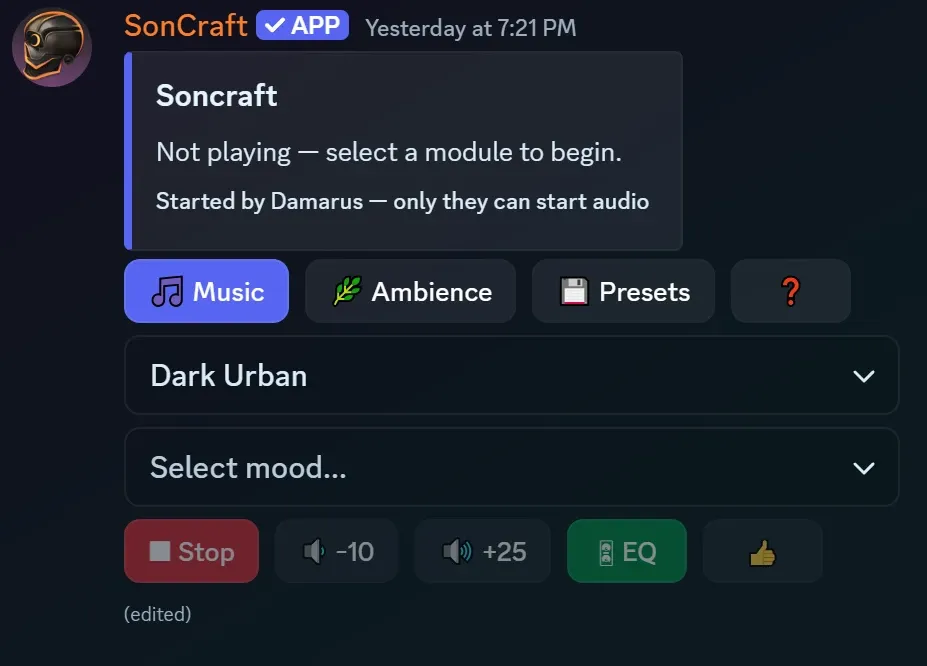
Music tab
Section titled “Music tab”This is where the music lives.
- Pick a module from the first dropdown. A module is a music pack, like Classic Fantasy.
- Pick a mood from the second dropdown. The music starts.
Picking a new mood while music is playing doesn’t restart anything. The music crossfades smoothly into the new mood — no gaps, no hard cuts.
Ambience tab
Section titled “Ambience tab”Ambience is background sound — rain, taverns, wind, caves. It can play alongside the music or on its own.
- Pick a genre, like Fantasy, Sci-Fi, or Horror
- Pick a category
- Pick a soundscape
Ambience has its own volume and its own Stop button, so you can mix it against the music however you like.
Presets tab
Section titled “Presets tab”Presets save your favorite combos so you can bring them back with one click.
- Save stores whatever is set up right now — music, ambience, or both
- Pick a saved preset from the dropdown to play it
- Overwrite, Rename, and Delete manage your saved presets
Presets belong to you, not the server. They follow you to any server you play in.
The controls row
Section titled “The controls row”At the bottom of every tab:
| Button | What it does |
|---|---|
| ⏹ Stop | Stops the audio |
| 🔉 −10 / 🔊 +25 | Volume down / up |
| 👍 | Tells us you like what’s playing |
Music and ambience volumes are separate. Music starts at 100%, ambience at 50%.
Who can press the buttons?
Section titled “Who can press the buttons?”Only the person who ran /play can start audio from that dashboard. This protects your free playtime — a random server member can’t spend it. Anyone else who wants control can run /play to open their own dashboard.
On servers with Pro activated, playtime is unlimited, so anyone can use any dashboard.
Good to know
Section titled “Good to know”Dashboards expire, the bot shows as deafened, it leaves when the channel empties — these are all by design. See Good to Know for the full list.
The new dashboard
Section titled “The new dashboard”A redesigned dashboard is rolling out soon and will replace the classic layout above. Everything underneath stays the same — same modules, moods, and soundscapes — but the layout changes.
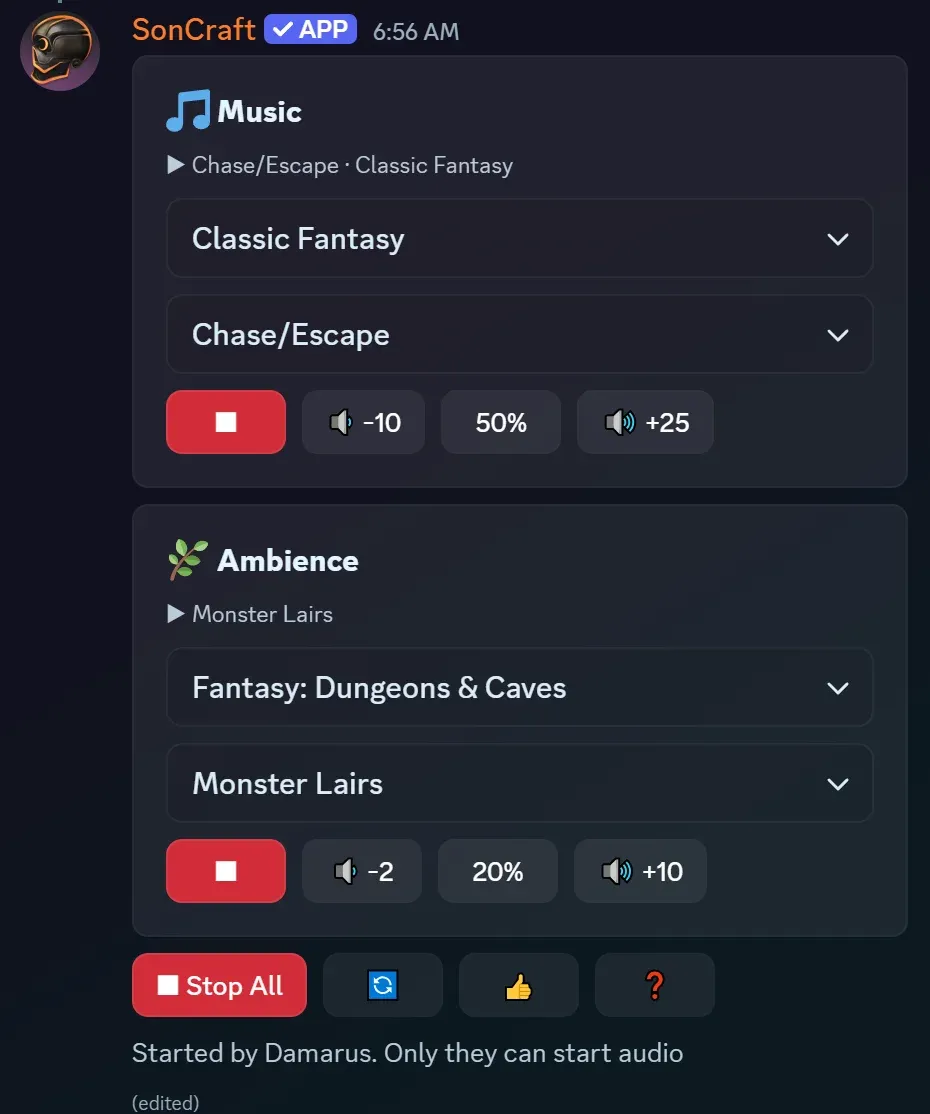
What’s different:
-
No more tabs. Music and Ambience sit together on one screen, each in its own card.
-
A now-playing line at the top of each card shows what’s on, like ▶ Mystery · Classic Fantasy.
-
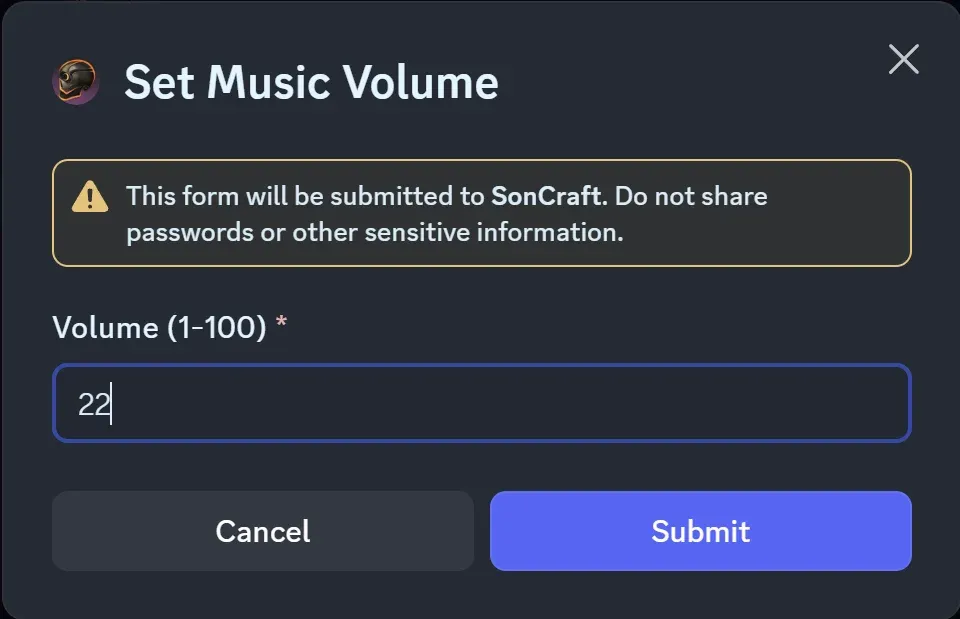
Volume is visible. Each card shows its current level as a percentage, with the volume down / up buttons on either side. Click the percentage to type in an exact value (1–100).
-
Ambience is two picks instead of three. Genre and category are combined into one dropdown, like Fantasy: Buildings & Interiors, followed by the soundscape.
-
⏹ Stop All stops music and ambience together. Each card still has its own Stop button.
The bottom row also holds 🔁 to refresh the dashboard, plus the familiar 👍 and ❓ buttons. The line under the buttons shows who opened the dashboard — as today, they’re the only one who can start audio.